Best Productivity Apps 2026: Top Picks
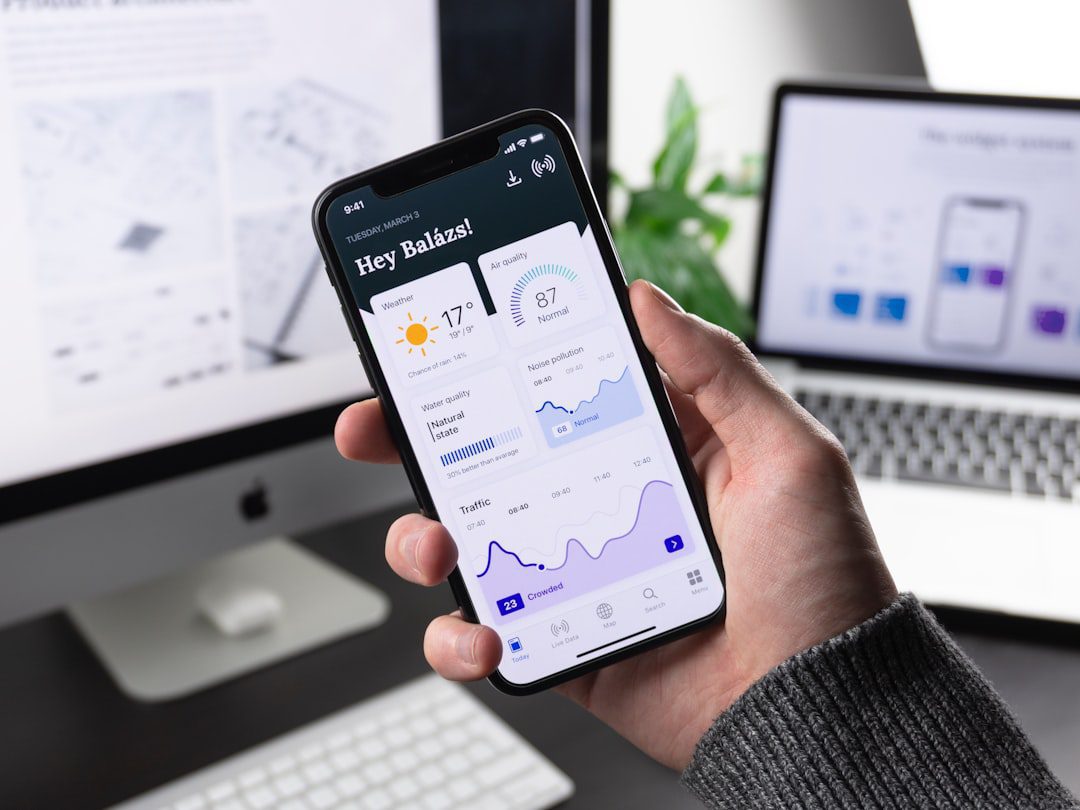
If you’ve ever finished a workday feeling busy but not productive, you’re not alone. The right tools make a measurable difference. The best productivity apps 2026 offers aren’t just polished interfaces — they solve real workflow problems, reduce friction, and help you protect your most valuable asset: focused time. In this guide, we cut through the noise and highlight the apps that are actually worth your attention this year.
Whether you’re a solo operator, a team lead, or a remote professional juggling multiple projects, this list has something for you. We’ve organized everything by use case so you can build a stack that fits your work — not someone else’s ideal setup.
Why Your App Stack Matters More Than Ever in 2026
The average professional switches between apps over 1,100 times per day, according to research from Harvard Business Review. That constant context-switching drains cognitive energy fast.
Moreover, the market is flooded with tools that promise transformation but deliver distraction. Therefore, choosing the right apps isn’t just a productivity decision — it’s a strategic one.
Here’s what a well-built app stack actually does for you:
- Reduces decision fatigue by automating repetitive tasks
- Keeps projects organized without requiring constant manual updates
- Centralizes communication so nothing slips through the cracks
- Protects deep work time from interruption and distraction
In short, the goal isn’t to use more apps. It’s to use fewer, better ones.
Best Productivity Apps 2026: Our Top Picks by Category
We’ve grouped the best productivity apps 2026 professionals are using into five core categories. Each pick earned its spot based on functionality, reliability, cross-platform availability, and real-world usefulness — not hype.
1. Task and Project Management
These apps keep your work organized and your priorities clear. Furthermore, they make collaboration significantly easier when teams are involved.
Top Picks:
- Notion (2026 Edition) — Still the gold standard for all-in-one workspaces. Notion’s updated automation features in 2026 let you build personal dashboards, manage projects, and track goals without leaving a single tab. Ideal for solo professionals and small teams alike.
- Linear — Built for speed. If you manage software projects or fast-moving sprints, Linear’s keyboard-first interface cuts planning time dramatically. In fact, many engineering teams report cutting their standup prep time in half after switching.
- Todoist — For those who just need a clean, reliable task manager without the complexity. Todoist’s natural language input (“Submit report every Friday at 9am”) makes it feel effortless. It’s a deceptively powerful tool wrapped in a minimal design.
Best for: Professionals who juggle multiple projects, remote teams, and freelancers managing client deliverables.
2. Focus and Deep Work
Distraction is the enemy of output. However, willpower alone rarely wins that battle. These apps give you structural support instead.
- Freedom — Blocks distracting sites and apps across all your devices simultaneously. The “Locked Mode” feature makes it impossible to disable a session once started — which is exactly the point.
- Sunsama — A daily planning app that pulls tasks from Notion, Asana, GitHub, and email into a single daily agenda. Additionally, it builds in time estimates, so you stop over-scheduling your day.
- Focusplan — A visual time-blocking tool that syncs with Google Calendar. Most importantly, it forces you to assign every task a time slot, making your plan tangible rather than aspirational.
Pair one of these focus tools with a solid morning routine. Our guide on morning routines for busy professionals walks you through how to front-load your best energy for deep work.
3. Note-Taking and Knowledge Management
Good ideas mean nothing if you can’t retrieve them later. Therefore, a reliable knowledge system is non-negotiable.
- Obsidian — A local-first, markdown-based note app with powerful linking capabilities. Obsidian treats your notes like a personal knowledge graph, so ideas connect across projects naturally over time.
- Reflect — A newer contender that syncs across devices and integrates with your calendar and meetings. For example, it automatically pulls in your meeting notes and links them to relevant contacts and projects.
- Notion AI (Knowledge Mode) — If you’re already in Notion, the upgraded 2026 AI features let you query your entire workspace like a search engine. Ask it to summarize last quarter’s project notes and it delivers instantly.
4. Communication and Collaboration
Communication tools can either support deep work or destroy it. The best ones do the former.
- Slack with Workflow Builder — Still the dominant team messaging platform. However, the real value in 2026 comes from automating routine communication with Workflow Builder — onboarding messages, status check-ins, and approval requests can all run without manual input.
- Loom — Async video messaging that replaces meetings for anything that doesn’t require real-time discussion. A 90-second Loom walkthrough often replaces a 30-minute meeting. That’s a trade worth making.
- Notion Calendar — Formerly Cron. It integrates directly with your Notion workspace and treats your calendar as a true planning layer, not just a scheduling tool.
5. Automation and Integration
Automation is where leverage lives. In addition, it’s where most professionals leave significant time on the table.
- Zapier — The veteran automation platform connects over 7,000 apps. For example, you can auto-create a Notion task every time a client emails you with a specific subject line. No coding required.
- Make (formerly Integromat) — More powerful than Zapier for complex, multi-step workflows. Furthermore, it offers a visual drag-and-drop interface that makes sophisticated automation feel manageable.
- Bardeen — A browser-based automation tool that’s gained serious traction in 2026. It automates web research, data scraping, and CRM updates with simple playbooks. Great for sales pros and researchers.
How to Build Your Personal Productivity Stack
Picking apps at random creates bloat, not efficiency. Instead, build your stack with intention. Here’s a simple framework:
- Audit what you actually do daily. List your top 5 recurring work tasks. These are the activities your stack should serve first.
- Identify your biggest friction points. Where do things fall through the cracks? Where do you lose time unnecessarily? That’s where your next app should go.
- Choose one tool per job. Task management, note-taking, focus, communication, automation — one tool per lane. Overlap creates confusion.
- Run a 30-day trial. Commit fully before evaluating. Most apps take two to three weeks to deliver their real value.
- Cut mercilessly. If an app hasn’t changed your behavior after 30 days, remove it. Unused tools drain mental bandwidth even when you’re not using them.
This same disciplined thinking applies to how you approach your broader professional toolkit. For instance, if you’re building income streams alongside your primary work, our piece on proven ways to make money online in 2026 uses the same principles: clarity, focus, and cutting what doesn’t serve your goals.
Productivity App Mistakes Most Professionals Still Make
Even experienced professionals fall into these traps. Avoid them and you’ll get more from every tool in your stack.
- Collecting apps instead of using them. Downloading a new productivity app every month is procrastination dressed up as optimization. Therefore, finish setting up what you have before adding anything new.
- Skipping onboarding. Most apps have powerful features hidden behind a setup process. Spend 30 minutes with the official tutorial. It pays back immediately.
- Over-customizing too early. Start with default settings. Customize only after you understand your actual usage patterns. Otherwise, you spend more time building systems than using them.
- Using a project management app for personal tasks. Tools like Linear or Asana are built for team coordination. For personal to-dos, a simpler tool like Todoist or even Apple Reminders is often more effective.
- Ignoring integrations. Standalone apps are useful. However, apps that talk to each other multiply in value. Always check integration options before committing to a tool.
Free vs. Paid: What’s Actually Worth Paying For in 2026
Not every premium plan justifies its cost. Here’s a clear breakdown of where to spend and where to save:
Worth paying for:
- Notion Plus ($10/month) — Unlimited blocks and version history alone make it worth it for serious users.
- Sunsama ($20/month) — Expensive for a daily planner, but users consistently report reclaiming 5-10 hours per week. The ROI is real.
- Freedom ($6.99/month) — Cheaper than a single hour of lost focus time.
- Zapier Starter ($19.99/month) — If you automate even two recurring tasks, this pays for itself immediately.
Free tiers that are genuinely sufficient:
- Todoist Free — Handles up to 5 projects. More than enough for most individuals.
- Loom Starter — 25 videos with a 5-minute cap. Works perfectly for async updates.
- Obsidian — Completely free for personal use, with no meaningful feature limitations.
In addition, many of the best AI tools for content creation in 2026 offer generous free tiers that pair well with the productivity stack outlined here.
The Best Productivity Apps 2026: Quick Reference Summary
Here’s your at-a-glance reference for the top tools covered in this guide:
| Category | Top Pick | Best For |
|---|---|---|
| Task Management | Notion | All-in-one workspaces |
| Focus | Sunsama | Daily planning + time blocking |
| Note-Taking | Obsidian | Personal knowledge systems |
| Communication | Loom | Async team updates |
| Automation | Zapier | Cross-app workflows |
Frequently Asked Questions
What are the best productivity apps 2026 has available for free?
Several excellent options cost nothing. Obsidian, Todoist Free, Loom Starter, and the free tier of Notion all deliver strong value without a subscription. Start with these and only upgrade when you hit a clear limitation.
How many productivity apps should I actually use?
Most professionals perform best with four to six core apps: one for tasks, one for notes, one for focus, one for communication, and optionally one for automation. More than that usually creates overhead rather than output.
Are productivity apps actually worth it, or is it just hype?
The right apps deliver measurable results. For example, time-blocking tools like Sunsama have documented user reports of reclaiming 5-10 hours weekly. However, the app only works if your habits support it. Tools amplify systems — they don’t replace them.
What’s the best productivity app for remote workers specifically?
Remote workers benefit most from async-friendly tools. Loom (video messaging), Notion (shared workspaces), and Slack with Workflow Builder form a strong core remote stack. In addition, a focus tool like Freedom helps recreate the structure that an office environment provides naturally. For more remote work strategies, explore our guide to the best remote jobs in 2026.
How often should I update or change my productivity app stack?
A full stack review once or twice per year is sufficient for most people. More frequent changes disrupt your workflow and reset your learning curve. Therefore, only switch tools when a clear, specific pain point isn’t being solved by what you already use.
Key Takeaways
Here are the three things to remember from this guide:
- Build intentionally, not impulsively. The best productivity apps 2026 offers are only as effective as the system you build around them. Start with your biggest friction points and work outward from there.
- One tool per job. Overlap between apps creates confusion and extra maintenance. Keep your stack lean — five to six core tools is the sweet spot for most professionals.
- Commit before you evaluate. Most apps take 30 days to deliver their real value. Give each tool a fair trial before deciding whether it earns a permanent spot in your stack.

More from Tool Stack
 Tool Stack
Best Productivity Apps 2026: Top Picks
The best productivity apps 2026 offers go far beyond simple to-do lists. This guide breaks down the top tools for...
 Tool Stack
Best CRM Tools for Freelancers Tips 2026
Managing client relationships without the right system costs freelancers time, money, and opportunities. This guide covers the best CRM tools...
 Tool Stack
Best Productivity Apps 2026: Top Picks Reviewed
Finding the right tools can make or break your workflow. This guide breaks down the best productivity apps 2026 professionals...