Best Video Editing Tools Free 2026
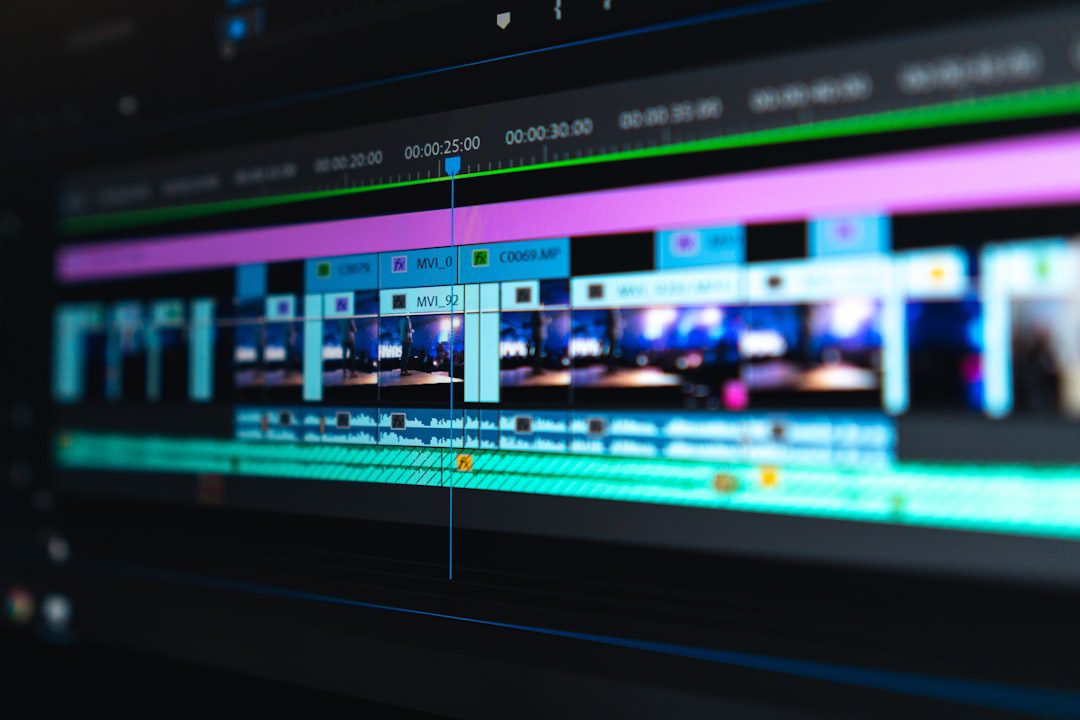
You don’t need a $300-per-year subscription to produce professional-quality video. In fact, the best video editing tools free 2026 offers are more capable than ever — rivaling paid software in features, stability, and output quality. Whether you’re a freelancer building a portfolio, a small business owner producing marketing content, or a professional creating presentations, there’s a free editor built for your workflow. This guide cuts through the noise and gives you the definitive ranked list.
Why Free Video Editing Software Has Levolved in 2026
The gap between free and paid video editors has narrowed dramatically. Open-source communities and competition among platforms have pushed free tools to deliver features once reserved for professional suites.
In fact, according to Statista’s video content industry research, video production volume has grown by over 80% in the past three years. As a result, demand for accessible editing tools has exploded — and developers have responded.
Here’s what you can now expect from the best video editing tools free 2026 has available:
- Multi-track timeline editing
- 4K and even 8K export support
- Color grading and correction tools
- Keyframe-based animation
- Built-in audio mixing and noise reduction
- Cross-platform compatibility (Windows, macOS, Linux)
Moreover, many tools have added real-time collaboration and cloud storage integration. Free no longer means “good enough.” It often means genuinely excellent.
The Best Video Editing Tools Free 2026: Our Top Picks Ranked
We evaluated each tool across five criteria: ease of use, feature depth, export quality, platform support, and community resources. Here are our top picks.
1. DaVinci Resolve — Best Overall Free Editor
DaVinci Resolve remains the gold standard for free video editing. Blackmagic Design continues to offer the full version at no cost — and the feature set is staggering.
Best for: Intermediate to advanced editors who want professional-grade color grading.
- Industry-leading color science and grading tools
- Fairlight audio suite built in
- Multi-user collaboration on the free tier
- Exports up to 4K at 60fps without watermarks
- Fusion visual effects module included
However, DaVinci Resolve demands a capable machine. If your computer has less than 16GB of RAM, expect some lag on complex timelines. Furthermore, the learning curve is real — but the payoff is significant.
2. CapCut Desktop — Best for Social Media Creators
CapCut has matured well beyond its mobile roots. The desktop version in 2026 is a genuinely powerful editor that makes fast, polished content creation feel effortless.
Best for: Content creators producing short-form video for YouTube Shorts, Instagram Reels, and TikTok.
- One-click auto-captions with high accuracy
- Vast library of free templates, transitions, and music
- Smart background removal without green screen
- Direct export to social platforms
- Intuitive drag-and-drop timeline
Of course, CapCut adds a subtle watermark on some exports unless you use workaround settings. For most social content, however, this is a non-issue.
3. Kdenlive — Best Open-Source Option for Power Users
Kdenlive is the editor serious Linux users have trusted for years. In 2026, it has caught up significantly on Windows and macOS stability too.
Best for: Technically minded editors who want full control without vendor lock-in.
- Fully open-source with no feature paywalls
- Multi-track timeline with nested sequences
- Extensive plugin and effect library
- Excellent proxy editing for lower-end systems
- No watermarks, ever
Therefore, if privacy and open-source principles matter to your workflow, Kdenlive is the clear choice. It doesn’t have the polish of DaVinci, but it more than compensates with flexibility.
4. Clipchamp — Best Free Editor Built Into Windows
Microsoft’s Clipchamp ships natively with Windows 11 and has received consistent updates throughout 2025 and into 2026. It’s often overlooked — and that’s a mistake.
Best for: Windows users who need a quick, no-install editing solution for business content.
- Browser-based and desktop-native options
- Clean, modern interface with low learning curve
- Stock media library included in free tier
- Screen recording built in
- Exports in 1080p on the free plan
On the other hand, Clipchamp caps free exports at 1080p and limits some stock asset access. For internal presentations and business videos, though, it’s more than capable.
5. OpenShot — Best for Absolute Beginners
OpenShot prioritizes simplicity above all else. First-time editors can produce a polished cut within 30 minutes of downloading.
Best for: Educators, beginners, and non-technical users creating their first videos.
- Drag-and-drop everything interface
- Unlimited tracks with no complexity wall
- 3D animated title effects
- Cross-platform: Windows, macOS, Linux
- Completely free and open-source
In addition, OpenShot has a remarkably active user community, which means tutorials and troubleshooting help are easy to find.
6. Shotcut — Best for Format Flexibility
Shotcut supports more video formats natively than almost any other free editor. If you work with footage from multiple camera types or unusual codecs, Shotcut removes the headaches.
Best for: Editors working with diverse media sources and file formats.
- Native support for hundreds of formats via FFmpeg
- No import step required — edit directly from source
- Strong audio filter suite
- Hardware acceleration on most GPUs
- Fully portable — runs from a USB drive
Most importantly, Shotcut has no usage restrictions, watermarks, or premium tiers. What you see is what you get — and what you get is genuinely impressive.
How to Choose the Right Free Video Editor for Your Needs
Picking the right tool comes down to three honest questions. First, what’s your skill level? Second, what type of content are you making? Third, what hardware are you running?
Use this quick-reference guide:
- Beginner + social content: CapCut or OpenShot
- Intermediate + professional output: DaVinci Resolve
- Advanced + open-source values: Kdenlive
- Windows user + quick edits: Clipchamp
- Mixed formats + portability: Shotcut
Furthermore, don’t feel locked into one tool. Many professionals use two: a fast, simple editor for rough cuts and a powerful one for final production.
Features to Look for in Free Video Editing Software
Not all “free” is created equal. Some tools hide essential features behind paywalls or add intrusive watermarks to your exports. Before you commit to any editor, verify these critical features:
Export Quality and Watermarks
- Does the free tier export without a watermark?
- What’s the maximum resolution on free exports?
- Are there frame rate limitations?
DaVinci Resolve, Kdenlive, OpenShot, and Shotcut all export watermark-free at no cost. CapCut and Clipchamp have minor limitations but remain highly usable.
System Requirements
Heavy editors like DaVinci Resolve require a dedicated GPU and at least 16GB of RAM. On the other hand, Shotcut and Clipchamp run comfortably on older hardware.
Always check system requirements before investing time in learning a tool. Nothing kills momentum like a laggy timeline.
Audio Editing Capabilities
Video quality gets the attention, but audio quality determines professionalism. Therefore, look for:
- Noise reduction filters
- Volume normalization
- Multi-track audio mixing
- Support for importing external audio files
DaVinci Resolve leads here with its full Fairlight suite. Kdenlive and Shotcut both offer solid audio tools as well.
Free Video Editing Tools and Your Professional Workflow
If you’re building a freelance business or producing content for clients, the tools you choose matter beyond just output quality. They affect your speed, your reliability, and your ability to collaborate.
For freelancers specifically, pairing great video editing tools with a strong portfolio strategy is essential. Check out our guide on freelance portfolio tips for beginners that work — because the best video won’t land clients if no one sees it.
Also consider how video editing fits into your broader productivity stack. If you’re already using task managers and project tools, make sure your editor supports the file formats your clients expect. You can explore our roundup of the best productivity apps 2026 for tools that pair well with your editing setup.
In addition, if you’re producing content for an online business, video is no longer optional — it’s a core asset. For context on how to structure that strategy, our guide on how to start an online business in 2026 covers the full picture.
Common Mistakes to Avoid With Free Video Editors
Even the best tools can produce poor results if you use them wrong. Here are the most common mistakes editors make — and how to avoid them.
Ignoring Proxy Editing
Editing raw 4K footage directly is demanding on any system. Proxy editing creates lower-resolution stand-ins for the edit, then swaps in the originals at export. Most editors on this list support it — use it.
Skipping Color Correction
Even modest color grading dramatically improves perceived video quality. DaVinci Resolve makes this accessible even for beginners. Furthermore, most other tools offer basic LUT support.
Neglecting Audio Levels
Inconsistent audio is the fastest way to lose viewers. Always normalize your audio tracks and check levels before exporting. In fact, professional editors spend as much time on audio as they do on the visual cut.
Exporting in the Wrong Format
Different platforms have different preferred formats. For example:
- YouTube: MP4 (H.264 or H.265), 1080p or 4K
- Instagram Reels: MP4, 9:16 aspect ratio, 1080 x 1920
- LinkedIn: MP4, up to 10 minutes, 1080p recommended
- Client delivery: ProRes or high-bitrate MP4 preferred
Always confirm delivery specs before you start editing. It saves significant rework.
Key Takeaways: Best Video Editing Tools Free 2026
- DaVinci Resolve is the best overall free video editor in 2026 — it offers professional-grade features, no watermarks, and multi-user collaboration at zero cost.
- Match the tool to your context. CapCut excels for social content. Kdenlive and Shotcut deliver maximum control. OpenShot removes friction for beginners. Clipchamp integrates seamlessly with Windows workflows.
- Free tools are production-ready. The best video editing tools free 2026 provides are not compromises — they’re legitimate professional options that can support client work, content businesses, and career growth.
Frequently Asked Questions
What is the best free video editing software in 2026?
DaVinci Resolve is the best free video editor in 2026 for most users. It offers professional color grading, a full audio suite, visual effects tools, and 4K export — all without a watermark or subscription fee. For social media content, CapCut Desktop is a strong alternative.
Are free video editors good enough for professional work?
Yes. Many professional editors and production companies use DaVinci Resolve on commercial projects. The free version handles the full editing, color, and audio workflow. Furthermore, tools like Kdenlive and Shotcut produce broadcast-quality output with no feature paywalls.
Which free video editor works best on a low-end PC?
Shotcut and Clipchamp are the most hardware-friendly options. Both support proxy editing and hardware acceleration, making them usable on systems with 8GB of RAM and integrated graphics. OpenShot also runs well on modest hardware.
Do free video editors add watermarks to exported videos?
It depends on the tool. DaVinci Resolve, Kdenlive, Shotcut, and OpenShot export completely watermark-free. CapCut may add a logo depending on export settings, and Clipchamp’s free tier has minor branding in some templates. Always test an export before committing to a project in any tool.
Can I use free video editing software for YouTube monetization?
Absolutely. Most of the best video editing tools free 2026 offers — including DaVinci Resolve, Kdenlive, and Shotcut — produce content fully eligible for YouTube monetization. The key is to verify that any music, stock footage, or templates you use are licensed for commercial use.

More from Tool Stack
 Tool Stack
Best Screen Recording Tools for Windows 2026
Finding the best screen recording tools for Windows doesn't have to be overwhelming. This guide breaks down the top options...
 Tool Stack
Best Productivity Apps 2026: Top Picks Ranked
Not all productivity apps are worth your time — or your subscription budget. This guide ranks the best productivity apps...
 Tool Stack
Best Calendar Apps of 2026: Top Picks Ranked
The best calendar apps of 2026 do far more than block out meeting times — they help you protect your...