How to Start a YouTube Channel Step by Step
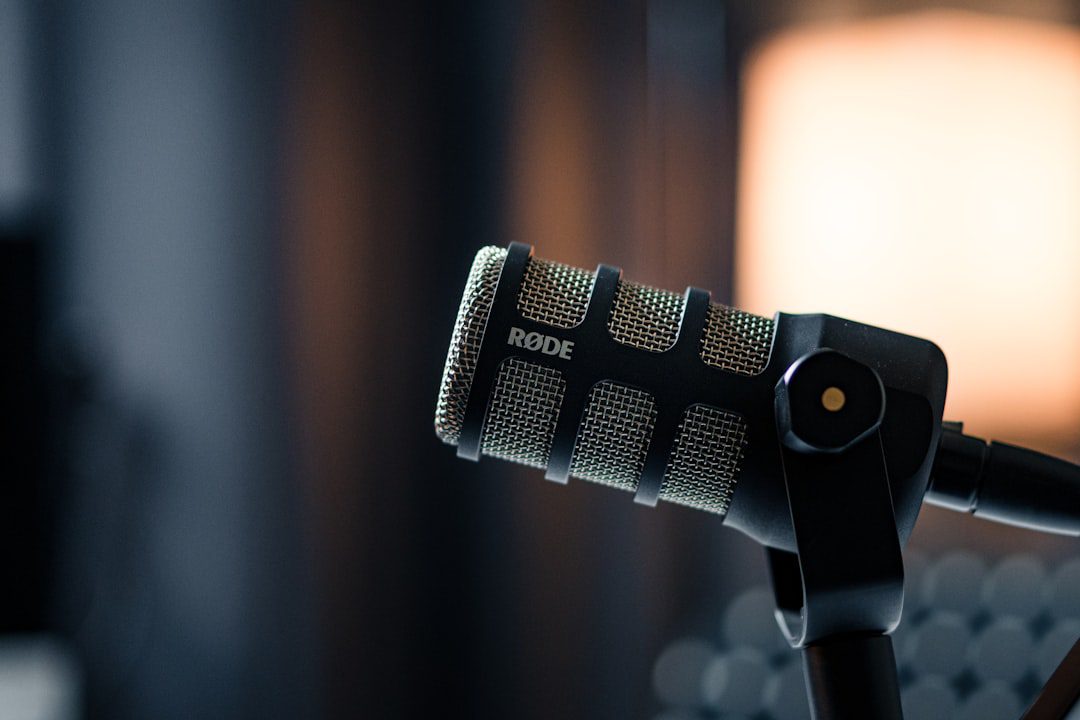
If you’ve been putting off launching your channel, this guide on how to start a YouTube channel step by step is exactly what you need. YouTube remains the second-largest search engine in the world, with over 2.7 billion logged-in users each month. In 2026, the opportunity for creators — whether you’re building a brand, a side hustle, or a full-time business — has never been more accessible. This guide walks you through every stage, from your very first idea to publishing your first video and growing a real audience.
No fluff. No vague advice. Just a clear, actionable roadmap.
Step 1: Define Your Niche and Target Audience
Before you touch a camera, you need clarity. Your niche is the foundation of your entire channel. Without it, your content will lack direction — and viewers won’t know why they should subscribe.
How to Choose the Right Niche
Start by asking yourself three questions:
- What topic can you talk about consistently for the next 12 months?
- Is there a real audience actively searching for this content?
- Can this niche eventually generate revenue (ads, sponsorships, products)?
For example, instead of a broad niche like “fitness,” consider “home workouts for busy professionals over 35.” Specific niches attract dedicated audiences. They also face less competition than generic topics.
Research Your Target Viewer
Think about who you’re talking to. Define their:
- Age range and occupation
- Main pain points or goals
- Preferred content format (tutorials, vlogs, reviews)
This clarity shapes every decision you’ll make — from your video titles to your thumbnail style. Moreover, it helps the YouTube algorithm understand who to recommend your videos to.
How to Start a YouTube Channel Step by Step: Channel Setup
Now that you have a niche, it’s time to build your channel’s home base. This section covers the technical setup you need before uploading a single video.
Create Your Google Account and YouTube Channel
- Go to YouTube.com and sign in with your Google account.
- Click your profile icon, then select “Create a channel.”
- Choose a channel name that is memorable, relevant to your niche, and easy to search.
- Add a professional profile photo (your face or brand logo).
- Write a keyword-rich channel description in the “About” section.
Your channel name matters more than most people realize. It should be searchable, brandable, and ideally contain a relevant keyword. For instance, “Savvy Finance Tips” works better than “John’s Channel.”
Optimize Your Channel Art and Branding
First impressions count. Therefore, invest time in these visual elements:
- Channel banner: 2560 x 1440 pixels, with your posting schedule or value proposition
- Profile photo: 800 x 800 pixels, clear and high-contrast
- Channel trailer: A 60–90 second video explaining what your channel is about
- Featured sections: Organize playlists on your channel homepage
Tools like Canva make professional-looking channel art accessible to everyone — even without a design background.
Step 3: Plan Your Content Strategy Before You Film
Successful YouTubers don’t just hit “record” and hope for the best. Instead, they plan their content deliberately. A solid content strategy is what separates channels that grow from channels that stall.
Build a Content Calendar
Consistency is one of the most important ranking factors on YouTube. Here’s how to build a sustainable schedule:
- Start with one video per week — quality over quantity always wins
- Batch-record 3–4 videos at a time to stay ahead of schedule
- Plan content around seasonal trends and search spikes
- Mix evergreen topics (permanent value) with trending ones (short-term traffic spikes)
Use Keyword Research to Find Video Ideas
YouTube is a search engine. Therefore, every video you create should target a specific search term. Use these free and paid tools:
- YouTube’s autocomplete bar — type your niche keyword and see what comes up
- TubeBuddy or VidIQ — analyze search volume and competition scores
- Google Trends — spot rising topics before they peak
- AnswerThePublic — find questions your audience is already asking
According to Think With Google, over 70% of YouTube watch time comes from the recommendation algorithm — so SEO-driven content gives you a significant advantage from day one.
Step 4: Set Up Your Recording Equipment (Without Overspending)
Here’s the truth: you don’t need expensive gear to start. However, your audio quality can make or break your channel. Viewers will forgive mediocre video — they won’t forgive bad audio.
Starter Equipment Checklist (2026)
- Camera: Your smartphone (iPhone 15 Pro or similar Android flagship) is genuinely enough to start
- Microphone: A $40–$80 USB lapel or condenser mic makes a massive difference
- Lighting: A simple ring light ($30–$60) or a window with natural light works well
- Tripod: Any stable $20–$30 phone or camera tripod
- Editing software: DaVinci Resolve (free), CapCut (free), or Adobe Premiere Pro (paid)
In total, you can launch a professional-looking channel for under $150. As your channel grows, reinvest revenue into better equipment. Start lean, then scale.
Your Recording Environment
Find a quiet, well-lit space in your home or office. Furthermore, consider these environment tips:
- Record with a clean, uncluttered background (or use a backdrop)
- Add soft furnishings like rugs and curtains to reduce echo
- Always record at the same time of day for consistent lighting
Step 5: Film, Edit, and Upload Your First Video
This is where most aspiring creators get stuck. They overthink, re-record endlessly, and never actually publish. Here’s how to move forward with confidence.
Filming Your Video
Follow this simple framework for every video:
- Hook (0–15 seconds): State the problem you’re solving immediately
- Intro (15–45 seconds): Introduce yourself and establish credibility briefly
- Content body: Deliver your value in clear, numbered steps or segments
- Call to action: Ask viewers to like, comment, subscribe, or visit a link
- Outro: Point to another video or playlist to keep viewers watching
Keep your first video between 7 and 15 minutes. This length tends to perform well for watch time and ad revenue once you’re monetized.
Editing Like a Pro (Even as a Beginner)
Good editing doesn’t mean flashy transitions. In fact, the best edits are invisible. Focus on:
- Cutting out all “ums,” long pauses, and dead air
- Adding captions (YouTube’s auto-captions work as a starting point)
- Including B-roll footage or screen recordings where relevant
- Using consistent intro music, text overlays, and color grading
Uploading and Optimizing Your Video
When you upload, don’t skip the optimization steps. These directly impact how many people find your video:
- Title: Include your target keyword naturally in the first 60 characters
- Description: Write 200+ words using related keywords; add timestamps and links
- Tags: Add 5–10 relevant keyword tags
- Thumbnail: Design a custom thumbnail with bold text and a clear, expressive image
- End screens and cards: Link to related videos to increase session time
- Category and language: Set these correctly to help the algorithm
Step 6: Grow Your Channel and Build an Audience
Publishing your first video is a milestone — but growth requires consistent effort. Here’s how to accelerate your channel’s momentum in 2026.
Promote Your Videos Strategically
- Share every video on LinkedIn, Instagram Reels, and X (Twitter) with a native clip or teaser
- Embed videos in relevant blog posts on your website
- Engage in niche communities on Reddit, Facebook Groups, and Discord
- Collaborate with creators in adjacent niches for cross-promotion
Analyze and Iterate
YouTube Analytics is your best friend. Review these metrics after every video:
- Click-through rate (CTR): Aim for 4–10% — low CTR means your thumbnail or title needs work
- Average view duration (AVD): Higher AVD signals quality content to the algorithm
- Impressions: Shows how often YouTube is recommending your video
- Subscriber growth per video: Identifies your highest-converting content
Double down on what works. If a particular style or topic drives more views and subscribers, produce more of it.
Monetization Milestones to Target
Once you’re consistent, work toward the YouTube Partner Program (YPP) requirements:
- 1,000 subscribers
- 4,000 watch hours in the past 12 months, OR 10 million YouTube Shorts views in 90 days
Beyond ads, consider additional revenue streams like brand sponsorships, affiliate marketing, digital products, and memberships. Many creators earn $5,000–$20,000+ per month combining these streams. For ideas on managing that income wisely, check out our guide on the Best High Yield Savings Accounts 2026.
The Complete How to Start a YouTube Channel Step by Step Checklist
Use this checklist to ensure you haven’t missed anything before and after launch:
Before Your First Upload
- ☑ Niche and target audience defined
- ☑ Channel name, profile photo, and banner created
- ☑ Channel description written with keywords
- ☑ Channel trailer recorded and uploaded
- ☑ First 5 video ideas planned with keyword research
- ☑ Recording equipment set up and tested
For Every Video
- ☑ Target keyword researched and confirmed
- ☑ Script or outline prepared
- ☑ Video filmed with good lighting and audio
- ☑ Video edited — dead air removed, captions added
- ☑ Custom thumbnail designed
- ☑ Title, description, and tags optimized
- ☑ End screens and cards added
- ☑ Video promoted on social channels
Also, if you’re planning to treat your channel as a business, consider pairing it with the right tools. Our Best CRM Tools for Freelancers Guide 2026 covers platforms that help manage brand deals, sponsorships, and client relationships efficiently.
Frequently Asked Questions
How long does it take to grow a YouTube channel from scratch?
Most channels take 6 to 12 months of consistent posting to gain meaningful traction. Channels that post weekly and focus on SEO-optimized content typically reach 1,000 subscribers within 6–9 months. Results vary significantly based on niche competition, content quality, and promotional effort.
Do I need to show my face on YouTube to be successful?
No, you don’t. Many successful channels use screen recordings, animations, stock footage, or voiceover-only formats. However, face-forward content generally builds stronger audience trust and tends to perform better for personal brand channels. Ultimately, choose the format that you can sustain consistently.
How much does it cost to start a YouTube channel?
You can start a YouTube channel for $0 to $150. The platform itself is completely free. Your main costs are optional equipment upgrades like a microphone, ring light, and editing software. Most beginner creators start with a smartphone and free editing tools like DaVinci Resolve or CapCut.
How often should I post videos on YouTube?
Start with one video per week. Consistency matters more than frequency. Posting two videos a week inconsistently is worse for the algorithm — and for your audience — than publishing one high-quality video on a reliable schedule. Once you have a system in place, you can scale up.
Can I start a YouTube channel while working a full-time job?
Absolutely. Many of today’s top creators started their channels as side hustles. The key is batch-recording sessions on weekends and scheduling uploads in advance. With good time management and a focused niche, posting once a week is very manageable alongside a full-time role. For more productivity strategies, read our guide on Remote Work Productivity Tips That Actually Work.
Key Takeaways
Summary: 3 Things to Remember
- Niche clarity comes first. A well-defined niche and target audience are the foundation of every successful YouTube channel. Don’t skip this step — it informs every other decision you make.
- Consistency beats perfection. Publishing one optimized, well-edited video per week beats sporadic uploads of “perfect” videos. The algorithm rewards reliability. So does your audience.
- Treat it like a business from day one. Track your analytics, research keywords, promote your content, and plan multiple revenue streams. The creators who grow fastest are the ones who apply business thinking to their content strategy.
Now you have a complete, actionable roadmap for how to start a YouTube channel step by step. The difference between creators who succeed and those who don’t isn’t talent — it’s execution. Pick your niche, set up your channel this week, and commit to your first 10 videos. You’ll learn more from those 10 videos than from any guide, including this one.
The best time to start was six months ago. The second-best time is today.

More from Biz Stack
 Biz Stack
Print on Demand Business Guide for Beginners
Print on demand is one of the lowest-risk ways to launch an online business in 2026. This guide walks beginners...
 Biz Stack
How to Start a YouTube Channel in 2026
Starting a YouTube channel in 2026 is one of the smartest moves you can make for your brand, business, or...
 Biz Stack
How to Start an Online Business in 2026
Starting an online business has never been more accessible — but that doesn't mean it's easy. This guide walks you...