Work From Home Setup Ideas Mistakes to Avoid
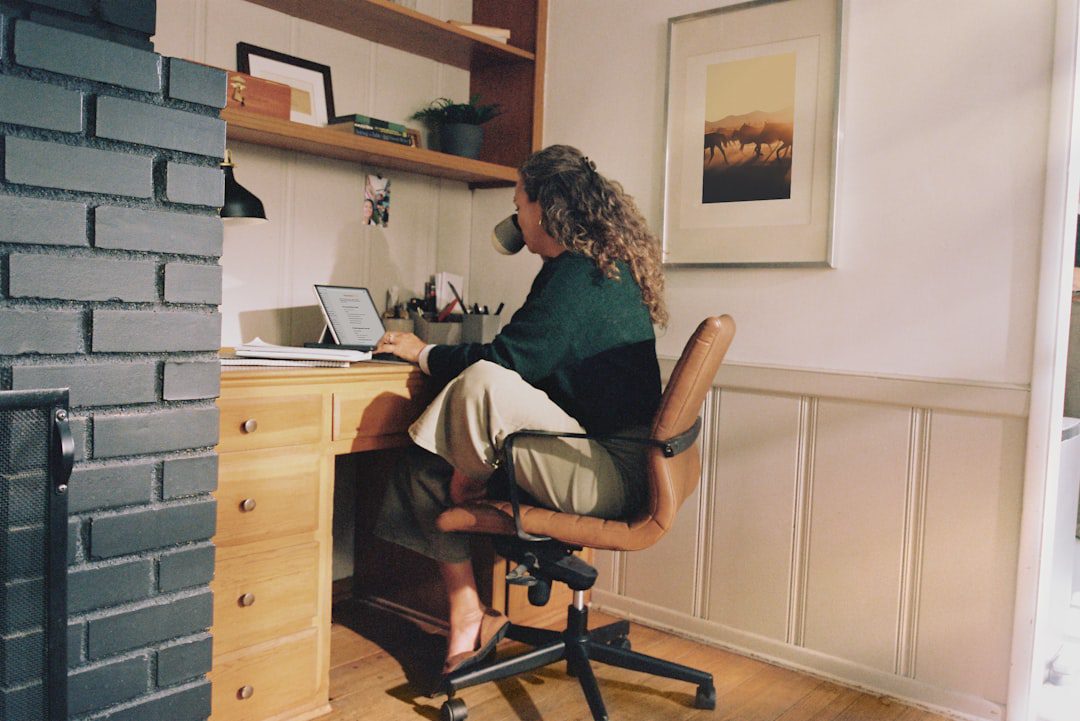
You finally have the freedom to work from home — but your setup is quietly sabotaging you. Most professionals know the common work from home setup ideas mistakes to avoid, yet they still make them. A wobbly kitchen chair here, a cluttered desk there, and suddenly your focus evaporates before 10 a.m. This guide breaks down exactly what not to do, and more importantly, what to do instead.
Why Your Home Office Setup Matters More Than You Think
Your environment directly shapes your output. In fact, research from the Chartered Institute of Ergonomics and Human Factors consistently shows that poor workspace design increases fatigue, reduces accuracy, and leads to long-term musculoskeletal issues.
Remote work is no longer a temporary fix. By 2026, hybrid and fully remote roles make up a significant share of the professional workforce. Therefore, treating your home office as an afterthought is a costly mistake.
The good news? Most setup errors are entirely fixable. You just need to know what to look for.
Work From Home Setup Ideas Mistakes to Avoid: Ergonomics Edition
Ergonomic mistakes are the most physically damaging — and the most common. Many remote workers spend eight or more hours a day at a desk that was never designed for that purpose.
Mistake 1: Using the Wrong Chair
A dining chair or a cheap stool might seem fine for an hour. However, over a full workday, the lack of lumbar support creates serious back strain. Here is what to look for instead:
- Adjustable seat height so your feet rest flat on the floor
- Lumbar support that follows the natural curve of your lower spine
- Armrests that allow your shoulders to relax, not hunch
- Seat depth that leaves two to three inches between the seat edge and the back of your knees
You do not need to spend $1,500 on an Aeron. Mid-range options from brands like Flexispot or Branch deliver solid ergonomic support for under $400.
Mistake 2: Monitor Position That Strains Your Neck
Your monitor should sit at arm’s length and at eye level. Most people place it too low, which forces the neck to tilt down all day. As a result, tension headaches and neck pain become routine.
- Use a monitor arm or a sturdy riser to adjust height
- The top of the screen should align with your natural eye line
- Tilt the screen back 10–20 degrees to reduce glare and neck strain
Mistake 3: Ignoring Wrist and Keyboard Alignment
Your wrists should be neutral — not bent upward or downward — while typing. Furthermore, your elbows should sit at roughly a 90-degree angle. A wrist rest or a split ergonomic keyboard can make a significant difference.
The Lighting Mistakes That Drain Your Energy
Lighting is one of the most overlooked elements in any home office setup. Most people default to overhead lighting, which is often harsh and poorly positioned. Poor lighting not only strains your eyes but also affects your mood and circadian rhythm.
Mistake 4: Working With Your Back to a Window
Natural light is your best friend — but placement matters. Sitting with a bright window directly behind you creates a harsh glare on your screen. Instead, position your desk so the window is to your side, ideally the left side if you are right-handed.
Mistake 5: Relying Solely on Overhead Fluorescent Light
Overhead fluorescents create flat, fatiguing light. Moreover, they cast shadows directly onto your workspace. A smarter approach combines:
- Ambient light: Warm overhead or floor lamp for general illumination
- Task light: A focused desk lamp (look for 4000K colour temperature for focus)
- Bias lighting: LED strip behind your monitor to reduce eye strain during long sessions
Investing $50–$80 in a quality desk lamp with adjustable colour temperature is one of the highest-ROI upgrades you can make.
Productivity-Killing Setup Mistakes You Are Probably Making
Beyond ergonomics and lighting, certain setup choices directly undermine your ability to focus. These are the traps that even experienced remote workers fall into year after year.
Mistake 6: No Dedicated Workspace
Working from your couch or bed feels comfortable. However, your brain associates those spaces with rest, not deep work. Over time, this blurs the line between relaxation and productivity — in both directions.
You do not need a separate room. Even a defined corner of a room, with consistent setup and a chair you only use for work, creates the psychological boundary your brain needs. This concept ties directly into achieving a flow state — your environment is one of the most powerful triggers for deep, focused work.
Mistake 7: A Cluttered Desk Surface
Clutter competes for your attention. Research from the Princeton Neuroscience Institute found that visual clutter reduces your brain’s ability to focus and increases cognitive load. Keep only what you actively use on your desk surface. Everything else belongs in a drawer, shelf, or storage box.
A practical rule: if you have not touched it in two days, it does not belong on your desk.
Mistake 8: Poor Cable Management
Tangled cables are a low-grade source of visual noise and physical frustration. Furthermore, they make cleaning and reconfiguring your setup unnecessarily difficult. Cable clips, velcro ties, and a simple cable management tray cost less than $20 and instantly make your workspace feel more intentional and professional.
Tech and Tool Mistakes That Slow You Down
Your hardware and software choices are just as important as your physical setup. Many professionals over-invest in furniture and under-invest in the tools they use every single day.
Mistake 9: Using a Single Small Monitor
A 13-inch laptop screen is a productivity bottleneck. Studies consistently show that adding a second monitor increases productivity by 20–30% for tasks that involve reference materials, writing, or data work. In 2026, quality 27-inch monitors are available for under $250.
If a second monitor is not feasible, consider at minimum a laptop stand plus an external keyboard and mouse. This alone improves posture and screen real estate significantly.
Mistake 10: Neglecting Audio Quality
Poor audio on calls damages your professional image and creates communication friction. A USB condenser microphone ($50–$100) is a worthwhile investment if you are on video calls daily. In addition, noise-cancelling headphones help you maintain focus during open-plan or noisy home environments.
Mistake 11: No Productivity System for Your Digital Workspace
Physical setup matters, but so does your digital environment. A disorganised desktop, hundreds of browser tabs, and no task management system create the digital equivalent of a cluttered desk. Tools like Notion or Obsidian can help you build a structured digital workspace — we break down the comparison in detail in our Notion vs Obsidian guide for 2026.
Work From Home Setup Ideas Mistakes to Avoid: The Wellness Angle
A truly optimised home office supports not just your productivity, but also your physical and mental health. These wellness-related mistakes are subtle, but their compounding effect is significant.
Mistake 12: No Movement Built Into Your Environment
Sitting for eight uninterrupted hours is genuinely harmful. However, most people wait until they feel stiff before they move. The smarter approach builds movement into your setup by design:
- Place a standing desk converter or a full sit-stand desk in your space
- Set a visual timer on your desk to prompt movement every 45–60 minutes
- Keep a resistance band or a set of light dumbbells within arm’s reach for micro-breaks
- Position your printer or filing system across the room to force occasional standing
Pairing movement breaks with healthy fuel matters too. Check out our guide to healthy snacks for productivity for practical ideas that sustain your energy without a crash.
Mistake 13: Ignoring Acoustics
Echo-heavy rooms are mentally exhausting to work in, especially on long video calls. Hard surfaces reflect sound and create a fatiguing, hollow quality to your audio environment. Simple fixes include:
- Adding a large rug to absorb floor reflections
- Using bookshelves with books or plants to break up bare walls
- Hanging a fabric wall panel or acoustic foam in severe cases
Mistake 14: No Visual Calm in Your Space
Your visual field affects your stress levels. A space filled with chaotic colours, stressful visuals, or excessive screen notifications keeps your nervous system in a low-grade alert state. Therefore, consider adding one or two small plants, a neutral colour palette, and a clear desk policy to create a visually calm environment.
For professionals exploring mindfulness as part of their wellness stack, our mindfulness for beginners guide pairs well with a calming workspace design.
Quick-Win Upgrades: Where to Start First
If you are overwhelmed by the list above, start here. These are the highest-impact changes, ranked by effort and return:
- Fix your chair or seating position — immediate impact on energy and pain levels
- Raise your monitor to eye level — takes five minutes and a $15 riser
- Add a dedicated task light — reduces eye strain within the first day
- Clear your desk surface — instant cognitive relief
- Add a second monitor or external screen — meaningful productivity gain for most knowledge workers
- Set a movement timer — free and immediately beneficial for your body
Most of these cost under $50 to fix. In fact, several cost nothing at all.
Key Takeaways
- Ergonomics first: A proper chair, monitor height, and wrist alignment are non-negotiable for long-term health and focus.
- Environment shapes behaviour: A dedicated, clutter-free, well-lit space is one of the most powerful productivity tools you own.
- Wellness is part of the setup: Movement, acoustics, and visual calm are not luxuries — they are performance infrastructure.
Frequently Asked Questions
What are the most common work from home setup mistakes professionals make?
The most common mistakes include using a non-ergonomic chair, placing the monitor too low, working in poor or harsh lighting, lacking a dedicated workspace, and ignoring cable and desk clutter. Most of these are easy to fix with small, inexpensive adjustments.
How much should I spend on a home office setup in 2026?
A functional, ergonomic setup does not require a huge budget. Prioritise a quality chair ($200–$400), a monitor at eye level ($150–$250), and a good desk lamp ($50–$80). You can build an excellent setup for $500–$800 without overspending on premium brands.
Do I need a separate room to have an effective home office?
No. A dedicated corner of a room with consistent setup — a proper chair, a defined desk area, and clear boundaries — works well. The psychological separation matters more than the physical walls. Many professionals thrive in studio apartments with a well-designed desk nook.
How do I reduce distractions in my home office setup?
Start with your physical environment: clear clutter, use noise-cancelling headphones, and position your desk away from high-traffic household areas. On the digital side, use browser focus tools, turn off non-essential notifications, and adopt a structured task system. Combining environmental and digital discipline delivers the biggest results.
What is the single highest-impact upgrade for a work from home setup?
For most people, fixing seating and monitor height delivers the fastest return. These two changes immediately reduce fatigue, improve posture, and help you sustain focus for longer periods. If you can only change one thing today, raise your monitor to eye level.

More from Life Stack
 Life Stack
How to Save Time Table: A Professional’s Guide
A cluttered, unprotected schedule is one of the biggest productivity killers for busy professionals. This guide breaks down exactly how...
 Life Stack
How to Move to a New City Without the Chaos
Moving to a new city is one of the biggest decisions a professional can make — and one of the...
 Life Stack
Mental Health Resources for Busy Professionals
Burnout, anxiety, and chronic stress are no longer fringe issues — they're occupational hazards for high-performing professionals. This guide breaks...