Best Productivity Apps 2026: Top Picks
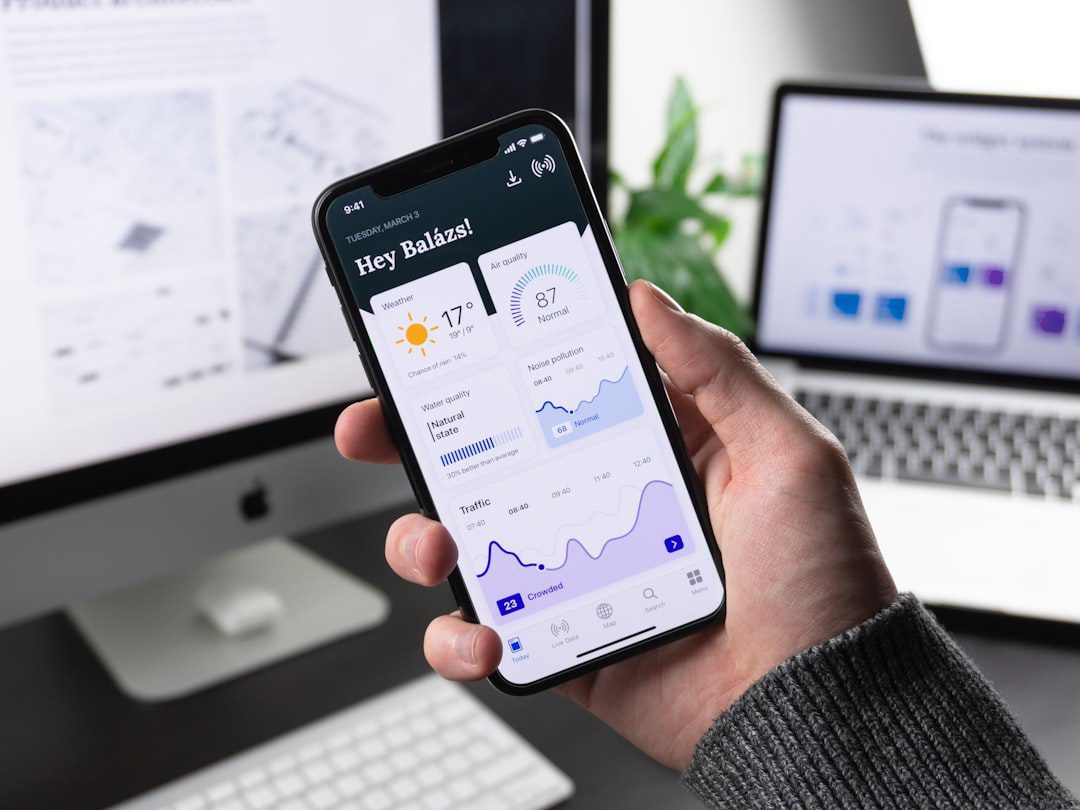
If you’ve ever ended a workday wondering where the hours went, your tools might be the problem. The best productivity apps 2026 has available aren’t just shinier versions of what came before — many have fundamentally changed how professionals plan, execute, and recover time. This guide cuts through the noise and highlights what’s actually worth installing on your devices this year. Whether you’re a solo freelancer, a team lead, or a remote worker juggling a dozen projects, there’s a stack here for you.
Why Your App Stack Matters More Than Ever in 2026
The average knowledge worker now switches between nine different apps per day, according to McKinsey’s digital research. That constant context-switching costs real time — up to 40% of your productive capacity, in fact.
Therefore, choosing the right tools isn’t a luxury. It’s a strategic decision. The wrong app stack fragments your attention. The right one consolidates it.
Furthermore, in 2026, the best apps do more than store tasks. They surface the right work at the right time, reduce decision fatigue, and integrate deeply with the tools around them.
Here’s what to look for before we dive into the list:
- Cross-platform sync — works seamlessly on desktop and mobile
- Low friction capture — adding a task takes under five seconds
- Meaningful integrations — connects with your calendar, email, or cloud storage
- Offline functionality — doesn’t break when your Wi-Fi does
The Best Productivity Apps 2026: Our Top Picks by Category
We’ve organized this list by use case. Most professionals need tools from two or three of these categories, not all of them. Pick strategically.
1. Task Management: Todoist
Best for: Individuals and small teams who need a clean, fast task manager.
Todoist remains the gold standard for personal task management in 2026. Its natural language input is unmatched — type “Submit report every Friday at 9am” and it just works. Moreover, its Karma system adds a light gamification layer that actually motivates daily completion.
- Available on every platform (web, iOS, Android, Mac, Windows)
- Deep integrations with Google Calendar, Slack, and Outlook
- Collaborative features for teams up to 25 people
- Free tier available; Pro plan runs $5/month billed annually
In addition, the 2026 update introduced “Focus Blocks” — time-boxed task views that sync directly to your calendar. This alone makes it worth the upgrade.
2. Project Management: Linear
Best for: Tech teams, product managers, and anyone running sprints.
Linear has dethroned heavier tools like Jira for a growing segment of professionals. It’s fast — genuinely fast. Opening an issue, updating a status, or reorganizing a sprint takes seconds, not minutes. As a result, teams actually use it instead of working around it.
- Keyboard-first design reduces mouse dependency significantly
- Built-in roadmap and cycle (sprint) views
- GitHub, Figma, and Slack integrations out of the box
- Free for up to 250 issues; paid plans start at $8/user/month
3. Note-Taking and Knowledge: Notion
Best for: Professionals who want a unified workspace for notes, wikis, and databases.
Notion continues to dominate the note-taking and knowledge management space. However, it’s worth being honest: Notion has a learning curve. Most importantly, the payoff is enormous once you build your system.
- Flexible databases let you organize anything — clients, projects, reading lists
- Templates from the community save hours of setup
- The 2026 “Smart Summaries” feature auto-generates meeting recaps from embedded notes
- Free for personal use; Team plan is $10/user/month
For a deeper focus strategy that complements a strong note-taking system, check out our guide on how to focus better with proven strategies — it pairs well with any knowledge-management setup.
4. Time Tracking: Toggl Track
Best for: Freelancers, consultants, and anyone billing by the hour.
You can’t manage time you don’t measure. Toggl Track makes time tracking nearly frictionless. One click starts a timer. Therefore, there’s no excuse not to use it.
- Detailed reporting by project, client, or task
- Browser extension tracks time directly inside other apps
- Idle detection reminds you when you’ve walked away
- Free for up to 5 users; Starter plan is $9/user/month
5. Calendar and Scheduling: Reclaim.ai
Best for: Busy professionals who need their calendar to think for them.
Reclaim.ai stands out as one of the smartest scheduling tools of 2026. It automatically finds the best times for your tasks, habits, and meetings by analyzing your existing calendar patterns. Furthermore, it defends your focus time by declining or rescheduling conflicts automatically.
- Smart scheduling for recurring habits (gym, deep work, lunch)
- Buffer time auto-inserted between back-to-back meetings
- Integrates with Google Calendar and Outlook
- Free plan available; Pro is $10/user/month
6. Focus and Deep Work: Freedom
Best for: Anyone who struggles with distraction during focused work sessions.
Freedom blocks distracting websites and apps across all your devices simultaneously. On the other hand, willpower alone rarely works — especially when your work and distractions live in the same browser tab.
- Block lists sync across Mac, Windows, iOS, and Android
- Scheduled sessions start automatically — no willpower required
- Locked mode prevents you from disabling a session early
- Plans start at $3.33/month billed annually
Pair Freedom with a solid home office setup. Our post on home office ergonomics covers the physical side of your work environment in detail.
7. Cloud Storage and File Management: Sync
Best for: Professionals who prioritize privacy alongside accessibility.
Sync.com has emerged as a top-tier choice for cloud storage in 2026 — especially for professionals handling sensitive documents. It offers end-to-end encryption by default, which most mainstream services still don’t.
- Zero-knowledge encryption keeps your data private
- Generous free storage (5GB) with affordable paid plans
- Strong desktop sync client on Mac and Windows
For a full comparison of cloud storage options, see our roundup of the best cloud storage services of 2026.
How to Build a Lean, Effective Productivity Stack
More apps don’t mean more productivity. In fact, the opposite is often true. Here’s a simple framework for building your stack without creating new overwhelm.
The Three-Layer Stack Model
- Capture layer — One tool where everything goes first (tasks, notes, ideas). Todoist or Notion work well here.
- Execution layer — One tool that shows you what to work on right now. Reclaim.ai or your calendar fills this role.
- Protection layer — One tool that guards your focus time. Freedom or a simple Do Not Disturb schedule handles this.
Most professionals need three to five apps total. Therefore, resist the temptation to add tools before you’ve mastered the ones you have. Each new app adds a small maintenance cost — updates, logins, and mental overhead.
Stack Combinations That Work in 2026
Here are three practical stack suggestions based on work style:
For the solo freelancer:
- Todoist (tasks) + Toggl Track (time) + Notion (notes/clients) + Freedom (focus)
For the team lead:
- Linear (projects) + Reclaim.ai (scheduling) + Notion (documentation) + Sync (files)
For the remote professional:
- Notion (everything hub) + Reclaim.ai (calendar) + Toggl Track (time) + Freedom (deep work)
What to Avoid: Common Productivity App Mistakes
Choosing the right tools matters. However, avoiding the wrong habits matters just as much.
- Tool-hopping — Switching apps every few months resets your system and wastes setup time. Give a tool at least 60 days before evaluating it.
- Duplicating systems — Running tasks in both your email and a task manager creates confusion. Pick one source of truth.
- Ignoring onboarding — Most apps have a learning curve. Spend 30 minutes on tutorials upfront to save hours later.
- Over-automating too soon — Build manual habits first. Automate them once you understand the workflow.
Also, your goals shape which tools make sense. Before downloading anything new, get clear on what you’re actually trying to accomplish. Our guide on setting goals that stick is a great place to start that process.
Free vs. Paid: When Is It Worth Upgrading?
Most of the best productivity apps 2026 offers have solid free tiers. So when should you pay?
Upgrade when a paid feature directly removes a bottleneck in your workflow. For example, Toggl Track’s free plan is enough for solo users — but if you manage a team, the reporting features in the paid tier save hours each month.
Here’s a quick reference:
- Todoist Free — Enough for personal task management with up to 5 active projects
- Notion Free — Excellent for individuals; upgrade when you add collaborators
- Toggl Free — Perfect for solo tracking; paid adds team dashboards
- Reclaim.ai Free — Covers basic habit scheduling; Pro unlocks smart meeting defense
- Freedom — No meaningful free tier; the paid plan is worth it if distraction is a real problem
Most professionals spend between $20–$40/month on a complete, high-quality productivity stack. That’s less than a dinner out — and the ROI in reclaimed time is immediate.
Frequently Asked Questions
What are the best productivity apps 2026 for remote workers?
Remote workers benefit most from tools that handle async communication and schedule management. In 2026, the top picks are Notion (documentation and team wikis), Reclaim.ai (intelligent calendar management), Toggl Track (time visibility), and Linear (project tracking). Together, they reduce the need for constant check-in meetings.
Are free productivity apps good enough, or do I need to pay?
Free tiers from Todoist, Notion, and Toggl are genuinely useful for individuals. However, paid plans unlock collaboration features, advanced reporting, and deeper integrations that teams and power users need. Start free, then upgrade once you hit a specific limitation.
How many productivity apps should I use?
Three to five apps is the sweet spot for most professionals. One for tasks, one for scheduling or calendars, one for notes or knowledge, and one for focus protection. Adding more apps beyond that often creates more friction than it removes.
What’s the best productivity app for someone just getting started?
Start with Todoist. It’s fast to learn, works on every device, and handles both simple to-do lists and complex project structures. Once you’ve built a consistent task habit, layer in a calendar tool like Reclaim.ai and a note-taking system like Notion.
How do I know if a productivity app is actually helping me?
Track two things: task completion rate and subjective stress level. After 30 days with a new tool, ask yourself — am I finishing more of what I planned, and do I feel less overwhelmed? If yes to both, keep it. If not, something in the system needs to change.
Key Takeaways
- Build a lean stack, not a large one. Three to five tools covering capture, execution, and focus protection is all most professionals need. More apps add overhead — not output.
- Match the tool to the workflow. The best productivity apps 2026 offers are only effective if they fit your actual work patterns. A freelancer’s stack looks different from a team lead’s — and that’s by design.
- Measure results, not intentions. A new app is only a productivity win if it changes behavior. Give each tool 30–60 days, track your output honestly, and cut anything that isn’t pulling its weight.

More from Tool Stack
 Tool Stack
Best Cloud Storage Services of 2026
Choosing the right cloud storage service can transform how you work, collaborate, and protect your files. This guide breaks down...
 Tool Stack
How to Organize Digital Files and Folders Like a Pro
A messy digital filing system quietly drains your productivity every single day. This guide breaks down exactly how to organize...
 Tool Stack
Best Cloud Storage Services for Beginners 2026
Choosing the best cloud storage services for beginners doesn't have to be overwhelming. This guide breaks down the top options...