Best Productivity Apps 2026: Top Picks
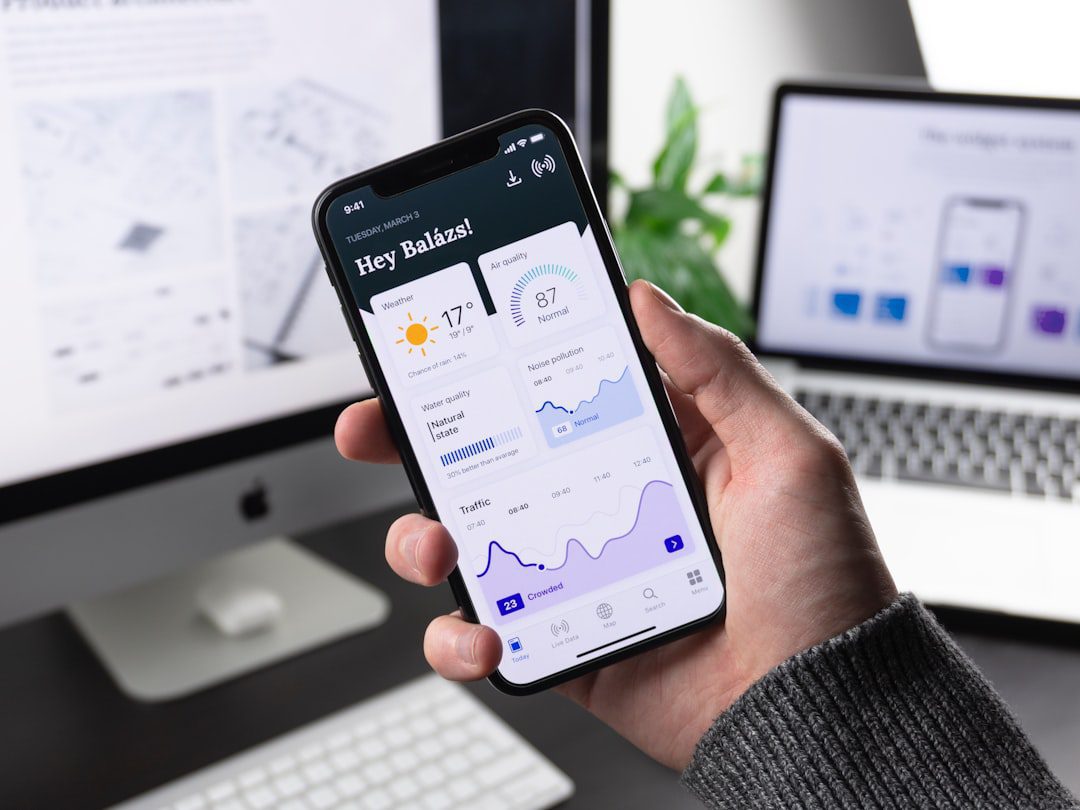
You open your laptop with a full agenda. Two hours later, you have answered emails, joined a last-minute call, and checked three different apps — but your most important task is still untouched. Sound familiar? The best productivity apps 2026 are specifically designed to break that cycle. They help you protect your time, organize your work, and actually finish what matters. In this guide, we cover the top tools professionals are using right now, across every major category of work.
Why Your App Stack Matters More Than Ever in 2026
Most professionals use between 8 and 15 different software tools every week. However, more apps do not automatically mean more output. In fact, switching between poorly integrated tools costs the average knowledge worker nearly 2.5 hours per day in context-switching alone. That adds up fast.
Therefore, the goal is not to add more tools. The goal is to build a lean, intentional stack where every app earns its place. The best productivity apps 2026 professionals swear by share three traits:
- They reduce friction, not add it
- They integrate cleanly with your existing workflow
- They solve one specific problem exceptionally well
With that filter in mind, let us get into the picks.
Best Productivity Apps 2026: Category-by-Category Breakdown
We organized these tools by job-to-be-done. Most people do not need every category. Instead, identify your biggest bottleneck first, then start there.
Task and Project Management
Task management is the backbone of any productivity system. These tools help you capture, prioritize, and track work — solo or across a team.
1. Notion (v4.0)
Notion remains the most flexible all-in-one workspace on the market. Its 2026 version ships with smarter database filtering, better calendar sync, and a redesigned mobile experience. It works brilliantly for personal task lists, team wikis, and project trackers alike.
Best for: Freelancers, small teams, and knowledge workers who want one home for everything.
2. Linear
Linear is built for speed. Engineers and product teams love it because it strips out the bloat. Moreover, its keyboard-first design means you spend less time clicking and more time building.
Best for: Tech teams that need fast, clean issue tracking.
3. Todoist
Todoist is still the gold standard for individual task management. Its natural language input (“submit report every Friday at 9am”) remains best-in-class. Furthermore, the new Eisenhower Matrix view in 2026 helps you prioritize by urgency and importance at a glance.
Best for: Individuals who want a simple, reliable to-do system.
Focus and Deep Work
Managing tasks is only half the battle. You also need to protect the time to actually do them. These tools help you build focus habits that stick. If you want to go deeper on this topic, our guide on how to focus better pairs perfectly with this section.
4. Reclaim.ai
Reclaim automatically schedules your tasks, habits, and focus blocks around your existing calendar commitments. As a result, your calendar starts to reflect your priorities — not just everyone else’s meetings. It is one of the most practical scheduling tools available in 2026.
Best for: Professionals whose calendars get hijacked by meetings.
5. Freedom
Freedom blocks distracting websites and apps across all your devices simultaneously. You set a session, and Freedom enforces it. For example, block social media from 9am to 12pm and watch your morning output double.
Best for: Anyone who struggles with digital distractions during deep work blocks.
Note-Taking and Knowledge Management
Great note-taking is not about writing more — it is about capturing the right things and finding them again effortlessly.
6. Obsidian
Obsidian stores your notes as plain markdown files on your own device. No vendor lock-in. Its bi-directional linking lets you build a personal knowledge graph that surfaces connections between ideas over time. Moreover, the 2026 sync features finally make cross-device use seamless.
Best for: Researchers, writers, and strategists who work with complex ideas.
7. Notion (again, yes)
For teams that want a shared knowledge base alongside project management, Notion pulls double duty here too. Its wiki templates make onboarding new team members remarkably straightforward.
Best for: Teams that want one source of truth for documentation and projects.
Communication and Collaboration
Poor communication tools waste more time than almost any other bottleneck. However, choosing the right ones dramatically reduces meeting load and email clutter.
8. Slack (with Workflow Builder)
Slack remains the dominant async communication tool for professional teams. Most importantly, the Workflow Builder feature now automates common team processes — like weekly check-ins, approval requests, and standup prompts — without any code.
Best for: Teams of 5 or more who need structured async communication.
9. Loom
Loom lets you record quick screen-share videos instead of writing long emails or scheduling calls. A 90-second Loom video can replace a 30-minute meeting. Furthermore, its transcript and chapter features in 2026 make recorded content far more searchable.
Best for: Remote teams and managers who communicate complex ideas frequently.
For managing the email side of communication, also check out our roundup of the best email management tools for 2026.
Time Tracking and Analytics
You cannot improve what you do not measure. These tools reveal where your hours actually go.
10. Toggl Track
Toggl Track is the most user-friendly time tracker on the market. Start a timer with one click, tag it to a project, and generate detailed reports at week’s end. As a result, billing clients and auditing your own time becomes effortless.
Best for: Freelancers, consultants, and agencies who bill by the hour.
11. RescueTime
RescueTime runs silently in the background and categorizes how you spend time across apps and websites. Therefore, you get an honest, unfiltered picture of your real workday — without any manual logging.
Best for: Professionals who want passive, automatic time auditing.
Automation and Workflow Tools
Automation is the highest-leverage investment in your productivity stack. Even small automations compound dramatically over time.
12. Zapier
Zapier connects over 7,000 apps and automates repetitive tasks between them. For example, you can automatically save email attachments to Google Drive, add new form responses to a CRM, or post Slack messages when a project status changes. No coding required.
Best for: Anyone who performs the same multi-step task more than twice a week.
13. Make (formerly Integromat)
Make offers more complex, visual workflow design than Zapier. Furthermore, it handles conditional logic and multi-step branching scenarios that Zapier cannot match at the same price point.
Best for: Power users who need sophisticated, multi-branch automations.
How to Choose the Right Productivity Apps for Your Workflow
With so many options available, choosing can feel overwhelming. However, a simple framework cuts through the noise.
Follow these four steps before adopting any new tool:
- Identify your single biggest friction point. Is it task overload? Distraction? Poor communication? Start with the tool that solves that specific problem first.
- Check integration with your current stack. A great app that does not connect to your calendar or project manager will create silos, not solutions.
- Use free trials seriously. Commit to using the app as intended for 14 days before judging it. Most tools take a week to click.
- Audit and prune quarterly. Remove any tool you have not opened in 30 days. Dead apps are cognitive clutter.
Most importantly, remember that the best productivity apps 2026 has available are only as good as the habits you build around them. Tools enable systems. They do not replace them.
Quick Comparison: Best Productivity Apps 2026 at a Glance
Here is a fast-reference summary of every tool we covered:
- Notion — All-in-one workspace for tasks, docs, and wikis
- Linear — Fast, clean project tracking for tech teams
- Todoist — Best individual task manager with natural language input
- Reclaim.ai — Smart calendar scheduling around your priorities
- Freedom — Cross-device distraction blocking for deep work
- Obsidian — Local, bi-directional note-taking and knowledge management
- Slack — Structured async team communication with automation
- Loom — Async video messaging to replace unnecessary meetings
- Toggl Track — Simple, one-click time tracking and reporting
- RescueTime — Passive, automatic time auditing in the background
- Zapier — No-code automation across 7,000+ apps
- Make — Advanced visual workflow automation for power users
Building a Starter Stack from Scratch
If you are starting fresh, do not try to adopt all twelve tools at once. Instead, build your stack in layers.
Layer 1 — Foundation (Week 1): Pick one task manager. Todoist for individuals, Notion or Linear for teams. Get everything out of your head and into the system.
Layer 2 — Focus (Week 2-3): Add Reclaim.ai to protect your deep work time. Pair it with Freedom if distraction is a consistent problem.
Layer 3 — Measurement (Week 4): Add Toggl Track or RescueTime. Spend two weeks understanding how you currently spend your time before optimizing further.
Layer 4 — Automation (Month 2+): Once your foundation is stable, introduce Zapier or Make to automate the repetitive tasks you encounter daily.
This staged approach prevents overwhelm and ensures each tool gets a fair chance to prove its value.
Frequently Asked Questions
What are the best productivity apps 2026 for individuals?
For individuals, the strongest combination is Todoist for task management, Obsidian for notes and knowledge, Reclaim.ai for calendar protection, and Toggl Track for time awareness. Together, these four tools cover every major productivity bottleneck without overwhelming complexity.
Are free versions of productivity apps worth using?
Yes — for most individuals, the free tiers of Todoist, Notion, and Toggl Track are genuinely sufficient. However, teams will likely need paid plans to unlock collaboration features, admin controls, and advanced integrations. Start free and upgrade only when you hit a real limit.
How many productivity apps should I use at once?
Fewer than you think. Most high performers operate effectively with 4–6 core tools. The goal is depth of use, not breadth of apps. One well-used task manager beats three half-used ones every time.
What is the difference between Zapier and Make?
Zapier is simpler and more beginner-friendly. Make is more powerful and better suited to complex, multi-step workflows with conditional logic. Start with Zapier. Graduate to Make only if Zapier cannot handle your use case.
Do productivity apps actually make you more productive?
They can — but only when paired with intentional habits. Tools reduce friction and surface information faster. However, they cannot substitute for clear priorities, focused work blocks, and disciplined routines. The best productivity apps 2026 offers will amplify a good system. They cannot create one from scratch.
Key Takeaways
- Build lean, not large. A focused stack of 4–6 well-chosen apps outperforms a cluttered collection of 15. Every tool should earn its place.
- Sequence your adoption. Start with task management, add focus and measurement tools next, and layer in automation only after your foundation is solid.
- Apps amplify systems — they do not replace them. The best productivity apps 2026 has to offer will only move the needle if you pair them with clear priorities and consistent habits.

More from Tool Stack
 Tool Stack
Best Screen Recording Tools for Windows 2026
Finding the best screen recording tools for Windows doesn't have to be overwhelming. This guide breaks down the top options...
 Tool Stack
Best Video Editing Tools Free 2026
Not every great video editor carries a subscription price tag. This guide breaks down the best video editing tools free...
 Tool Stack
Best Productivity Apps 2026: Top Picks Ranked
Not all productivity apps are worth your time — or your subscription budget. This guide ranks the best productivity apps...