Best Video Editing Software Free Reddit Picks 2026
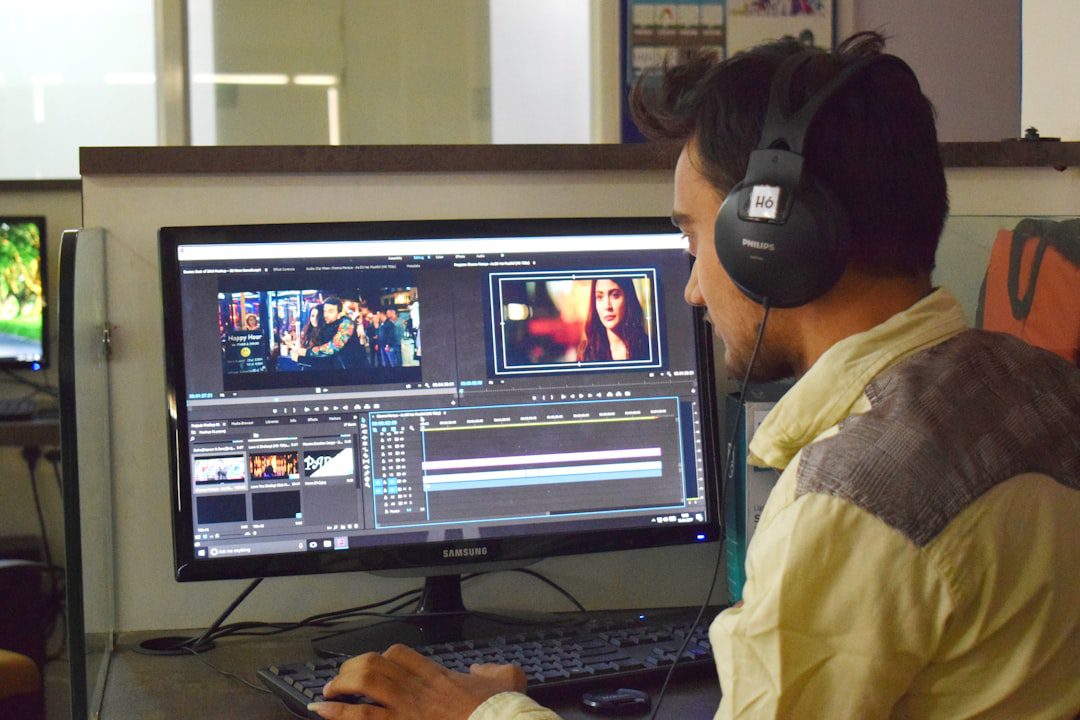
What Reddit Actually Says About Free Video Editing Software in 2026
If you’ve ever searched for the best video editing software free Reddit threads recommend, you already know the problem: the internet is flooded with listicles pushing paid tools. Reddit, however, cuts through the noise. Real creators — YouTubers, freelancers, small business owners, and hobbyists — share brutally honest, experience-based opinions. In this post, we’ve done the deep work for you, mining the top subreddits (r/VideoEditing, r/editors, r/youtube, and r/learnmachinelearning) so you get only the most trusted, community-vetted picks for 2026.
The result? A practical, no-fluff breakdown of the free editors that professionals and beginners actually use and love.
Why Reddit Is the Best Source for Free Software Recommendations
Most review sites earn affiliate commissions. Therefore, they have an incentive to promote premium tools. Reddit, on the other hand, has no such agenda.
Here’s why Reddit recommendations stand out:
- Real users, real workflows: Redditors describe exactly how they use each tool in their daily editing process.
- Brutally honest cons: You’ll hear about crashes, missing features, and steep learning curves — the things polished review sites skip.
- Niche-specific advice: Whether you edit gaming content, wedding videos, or short-form social clips, someone on Reddit has your use case covered.
- Updated constantly: Threads from early 2026 reflect the most current software versions and features.
In short, Reddit is the community-powered Consumer Reports of software. And for best video editing software free Reddit searches, it consistently surfaces tools that actually deliver.
The Best Video Editing Software Free Reddit Users Recommend in 2026
Below, we break down the top free video editors that dominate Reddit discussions. Moreover, we include who each tool is best for, so you can make a faster decision.
1. DaVinci Resolve — The Community’s Undisputed Champion
Ask any experienced editor on Reddit, and DaVinci Resolve is almost always their first recommendation. It’s free, professional-grade, and used in Hollywood productions.
Why Reddit loves it:
- The free version includes color grading tools that rival paid software costing hundreds of dollars annually.
- Fusion (the built-in VFX tool) and Fairlight (audio editing) are fully unlocked in the free tier.
- It handles 4K and even 8K footage without flinching — on a reasonably modern machine.
Reddit’s honest cons:
- Steep learning curve for absolute beginners.
- Requires a capable GPU; older laptops may struggle.
- The interface can feel overwhelming on day one.
Best for: Serious content creators, YouTubers with 10,000+ subscribers, and anyone who wants to grow into a professional workflow.
According to MakeUseOf’s 2026 breakdown, DaVinci Resolve’s free version covers 95% of what most independent creators need. That’s a compelling argument for zero dollars.
2. Kdenlive — The Open-Source Workhorse
Kdenlive earns consistent praise in r/VideoEditing, particularly from Linux users and Windows creators who want a lightweight, no-nonsense editor.
Why Reddit loves it:
- Completely open-source and free — no “free trial” tricks.
- Multi-track timeline editing that rivals entry-level paid tools.
- Frequent community-driven updates keep it modern and stable.
Reddit’s honest cons:
- Occasional stability issues on Windows when working with very large project files.
- Export presets can feel confusing for new users.
Best for: Beginners and intermediate editors who want a clean, distraction-free workspace without watermarks.
3. CapCut Desktop — The Social Media Creator’s Best Friend
CapCut has exploded in popularity across Reddit’s content creator communities. Furthermore, its desktop version in 2026 is far more powerful than most people realize.
Why Reddit loves it:
- Auto-captions, background removal, and speed ramping — all free.
- Designed specifically for short-form content: TikTok, Instagram Reels, and YouTube Shorts.
- Extremely fast to learn; most users are editing confidently within an hour.
Reddit’s honest cons:
- Not ideal for long-form projects over 20 minutes.
- Some advanced effects are locked behind a paid plan.
- Export quality settings are less granular than DaVinci Resolve.
Best for: Entrepreneurs, social media managers, and anyone building a content strategy around short-form video. (Speaking of which, if you’re building a TikTok presence, our TikTok Marketing Strategy for Business in 2026 guide pairs perfectly with CapCut.)
4. OpenShot — The Beginner’s Safe Harbor
OpenShot isn’t flashy. However, it’s the tool Reddit recommends most often when someone posts “I’ve never edited a video before — where do I start?”
Why Reddit loves it:
- Zero learning curve — the interface is intuitive from minute one.
- Cross-platform: works on Windows, macOS, and Linux.
- Completely free with no watermarks, ever.
Reddit’s honest cons:
- Rendering can be slow compared to competitors.
- Limited built-in effects and transitions.
- Not suitable for professional-level projects.
Best for: Absolute beginners, hobbyists, and professionals who only occasionally need to trim and assemble clips.
5. Shotcut — The Hidden Gem Redditors Keep Recommending
Shotcut consistently surfaces in Reddit threads as a surprisingly powerful free editor that most people overlook. In fact, several r/VideoEditing regulars call it “the most underrated free editor of 2026.”
Why Reddit loves it:
- Supports a massive range of video formats natively — no codec packs required.
- Advanced audio filters, color grading, and proxy editing are all included free.
- Portable version available — run it from a USB drive.
Reddit’s honest cons:
- UI feels slightly dated compared to CapCut or DaVinci Resolve.
- Timeline-based editing has a short but real learning curve.
Best for: Intermediate editors who want DaVinci-like features in a lighter package.
How to Choose the Right Free Editor From Reddit’s List
Choosing from the best video editing software free Reddit threads can still feel overwhelming. Therefore, use this decision framework to narrow it down fast.
Match the Tool to Your Use Case
Ask yourself three questions before downloading anything:
- What kind of content am I editing? Short-form social clips → CapCut. Long-form YouTube → DaVinci Resolve or Shotcut. Casual family videos → OpenShot.
- What’s my current skill level? Complete beginner → OpenShot or CapCut. Some experience → Kdenlive or Shotcut. Serious/pro → DaVinci Resolve.
- What hardware am I working with? Older or low-RAM machines → Kdenlive or Shotcut. Modern GPU-equipped systems → DaVinci Resolve unlocks its full potential.
Quick Comparison Table
| Tool | Best For | Skill Level | Platform |
|---|---|---|---|
| DaVinci Resolve | Professional/YouTube creators | Intermediate–Pro | Win, Mac, Linux |
| Kdenlive | Multi-track editing | Beginner–Intermediate | Win, Mac, Linux |
| CapCut Desktop | Short-form social video | Beginner | Win, Mac |
| OpenShot | First-time editors | Beginner | Win, Mac, Linux |
| Shotcut | Format flexibility | Intermediate | Win, Mac, Linux |
Pro Tips From Reddit Power Users
Beyond picking the right tool, Reddit’s most active editors share specific habits that separate good content from great content. Here are the most actionable ones.
Tip 1: Learn Keyboard Shortcuts First
Every experienced Reddit editor says the same thing: keyboard shortcuts cut your editing time in half. Most free editors have customizable shortcuts. Furthermore, learning just 10-15 core shortcuts in your first week makes a dramatic difference in speed.
Tip 2: Edit on a Proxy, Export the Original
Working with 4K footage on a mid-range machine? Use proxy editing. DaVinci Resolve and Shotcut both support this workflow. As a result, your timeline stays smooth, and you export at full quality when you’re done.
Tip 3: Structure Your Project Folders Like a Pro
This advice appears constantly in r/VideoEditing. Organize your files before you open your editor:
- /Raw Footage — original, untouched clips
- /Audio — music, SFX, voiceovers
- /Graphics — logos, lower thirds, overlays
- /Exports — final renders
This one habit prevents hours of wasted time searching for missing files mid-project. Similarly, the same principle of structured systems applies to productivity in general — something we cover in our Zapier Automation Ideas 2026 guide for workflow optimization.
Tip 4: Render a Low-Quality Preview Before Final Export
Always render a draft version first. This catches color grading errors, audio sync issues, and transition glitches before you commit to a full 4K render that takes 45 minutes.
Common Mistakes Reddit Warns You to Avoid
The best video editing software free Reddit discussions aren’t just about tools. They’re also full of cautionary tales. Here are the most repeated mistakes to skip entirely.
- Choosing the “best-looking” editor over the most practical one. A sleek interface means nothing if the export quality doesn’t meet your needs.
- Skipping color correction entirely. Even a simple white balance adjustment makes amateur footage look professional.
- Ignoring audio quality. Reddit editors repeat this endlessly: viewers will forgive mediocre visuals, but they will click away from bad audio within seconds.
- Not saving incremental project files. One crash without a recent save can cost you hours. Use version-numbered saves (Project_v1, Project_v2) as standard practice.
- Trying to learn every feature at once. Focus on mastering the cut, trim, and audio tools first. Everything else comes naturally after that foundation.
Frequently Asked Questions
What is the most recommended free video editing software on Reddit in 2026?
DaVinci Resolve consistently tops Reddit recommendations for its professional-grade features at zero cost. However, CapCut Desktop leads for creators focused on short-form social video content, and OpenShot wins for absolute beginners. The “best” choice depends on your specific use case and skill level.
Is DaVinci Resolve really free, or does it have hidden costs?
DaVinci Resolve’s free version is genuinely, fully free — no watermarks, no time limits. Blackmagic Design offers a paid “Studio” version with additional collaborative and noise-reduction features, but the free tier covers everything most independent creators and small businesses need.
Can I use free video editing software for professional client work?
Absolutely. Many professional freelancers and small production companies use DaVinci Resolve’s free version for paying client projects. The output quality is indistinguishable from paid software. In fact, several Reddit users in r/editors report using it exclusively for commercial work.
Is CapCut safe to use in 2026?
This is one of the most debated topics on Reddit in 2026. CapCut’s desktop version remains widely used by creators globally. However, Reddit threads recommend reviewing the app’s data privacy settings and terms of service before use, especially if you edit content containing sensitive business information. Always stay current with platform policy updates.
How long does it take to learn free video editing software from scratch?
With OpenShot or CapCut, most beginners produce their first complete edit within a few hours. DaVinci Resolve has a longer runway — expect 2-4 weeks of regular practice before you feel confident. Moreover, YouTube tutorials (many of them free) dramatically accelerate the learning curve for every tool on this list.
Key Takeaways
Summary: What You Need to Remember
- DaVinci Resolve is the top pick from Reddit’s editing communities in 2026 — professional-grade, completely free, and capable of handling everything from YouTube videos to commercial productions.
- Match your tool to your content type. Short-form social creators should prioritize CapCut Desktop. Beginners need OpenShot or Kdenlive. Serious long-form editors belong in DaVinci Resolve or Shotcut.
- Your habits matter more than your software. Organized file structures, proxy editing, keyboard shortcuts, and draft renders will save you more time than upgrading to any paid tool.
The best video editing software free Reddit users recommend hasn’t changed because of marketing — it’s changed because real people tested these tools under real conditions. Use their collective experience as your shortcut. Pick one tool, commit to it for 30 days, and you’ll be editing confidently before you know it.

More from Tool Stack
 Tool Stack
Best Screen Recording Tools for Windows 2026
Finding the best screen recording tools for Windows doesn't have to be overwhelming. This guide breaks down the top options...
 Tool Stack
Best Video Editing Tools Free 2026
Not every great video editor carries a subscription price tag. This guide breaks down the best video editing tools free...
 Tool Stack
Best Productivity Apps 2026: Top Picks Ranked
Not all productivity apps are worth your time — or your subscription budget. This guide ranks the best productivity apps...