ChatGPT Tips and Tricks 2025 That Actually Work
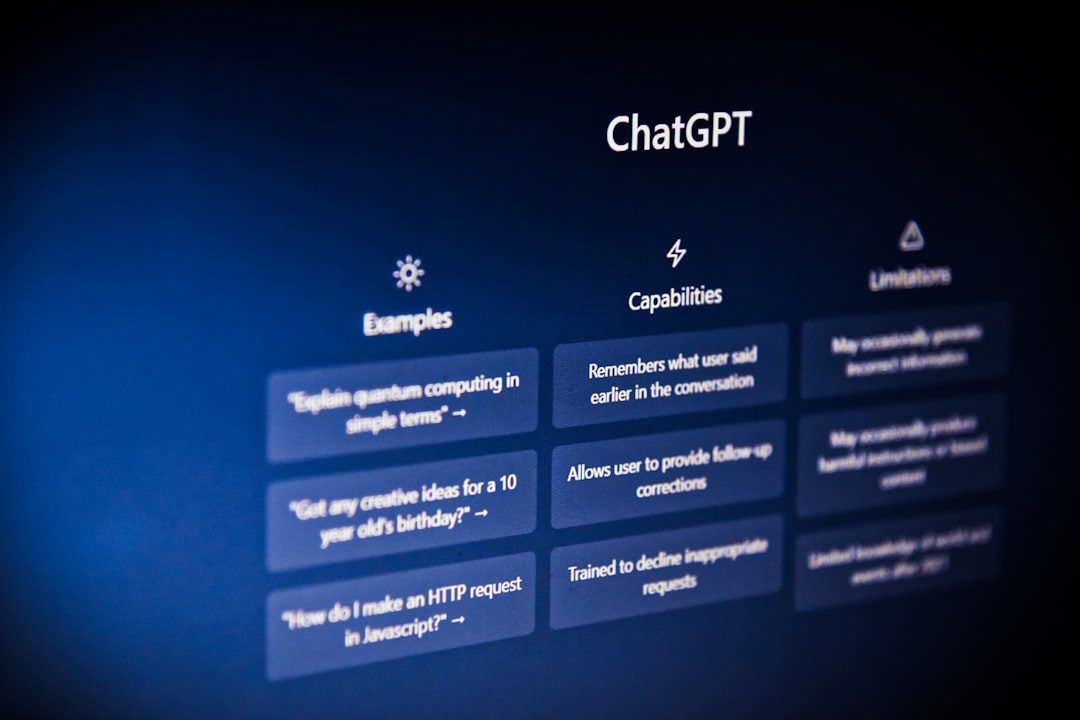
If you’ve been using ChatGPT like a fancier search engine, you’re leaving enormous value on the table. The best ChatGPT tips and tricks 2025 professionals swear by go far beyond typing a quick question and hoping for the best. In fact, the difference between a mediocre output and a genuinely useful one almost always comes down to how you interact with the tool. This guide breaks down exactly what works — with specific techniques you can apply immediately.
Why Most People Use ChatGPT Wrong
The majority of users treat ChatGPT like a vending machine. They put in a vague request and feel frustrated when the result isn’t quite right. However, ChatGPT is far more like a highly skilled collaborator than a search engine.
Consider this common mistake: asking “Write me an email.” That single sentence gives the model nothing to work with. Instead, think of yourself as briefing a talented colleague. The more context you provide, the better the output.
Here’s what most under-performers skip:
- Defining the audience for the response
- Specifying the tone, length, or format
- Providing relevant background or constraints
- Iterating on the first draft rather than accepting it
Therefore, before diving into advanced techniques, commit to one core habit: never submit a one-line prompt for complex tasks.
The Top ChatGPT Tips and Tricks 2025 Professionals Use Daily
These are the techniques that separate casual users from power users. Moreover, most of them take less than 60 seconds to learn.
1. Use the “Role + Task + Format” Prompt Structure
This is arguably the single most impactful upgrade you can make. Structure every non-trivial prompt with three components:
- Role: Tell ChatGPT who it is. (“You are a senior marketing strategist.”)
- Task: Describe exactly what you need. (“Write a competitive analysis of three SaaS pricing models.”)
- Format: Specify the output. (“Present it as a comparison table with a brief summary paragraph.”)
For example, a prompt like “You are a financial advisor. Summarize the pros and cons of index fund investing for a 35-year-old with a moderate risk tolerance. Use bullet points.” will consistently outperform a vague alternative. As a result, your outputs become more predictable and immediately usable.
2. Use Custom Instructions to Set a Permanent Context
Custom Instructions (available in ChatGPT settings) let you define a persistent persona and output style. You set it once, and it applies to every conversation.
Useful things to include:
- Your profession and industry
- Your preferred response length (e.g., “Keep answers concise unless I ask for detail”)
- Tone preferences (“Professional but direct; avoid filler phrases”)
- Things to always or never do (“Always suggest follow-up questions at the end”)
Furthermore, this eliminates repetitive context-setting at the start of every session, which saves significant time across a week.
3. Chain Prompts for Complex Projects
Don’t try to accomplish everything in one giant prompt. Instead, break large projects into a series of smaller, connected prompts — a technique called prompt chaining.
Here’s a practical example for writing a report:
- Prompt 1: “Outline the key sections for a quarterly business review report.”
- Prompt 2: “Now write the Executive Summary section based on the outline.”
- Prompt 3: “Revise the Executive Summary to be more concise. Target 150 words.”
- Prompt 4: “Now write the Key Metrics section, using this data: [paste data].”
This approach gives you far more control. Most importantly, it prevents the model from trying to do too much at once and losing coherence.
Advanced Prompt Engineering Techniques
Once you’ve mastered the basics, these techniques unlock a new level of output quality. According to OpenAI’s research on model behavior, structured and context-rich prompting consistently produces more accurate and relevant responses.
Few-Shot Prompting: Show, Don’t Just Tell
Few-shot prompting means giving ChatGPT 2–3 examples of exactly what you want before asking it to produce the real output. This is especially powerful for maintaining a specific writing style or format.
For instance:
- Without few-shot: “Write a product description for our new laptop bag.”
- With few-shot: “Here are two product descriptions in our brand voice: [Example 1], [Example 2]. Now write a product description for our new laptop bag in the same style.”
The second approach reliably produces on-brand copy. Furthermore, it saves multiple rounds of back-and-forth editing.
Ask ChatGPT to Critique Its Own Output
This is one of the most underused techniques. After receiving a response, follow up with:
“What are the three weakest parts of the above response? How would you improve each one?”
In addition, you can ask: “What important considerations did you miss?” or “Challenge the assumptions in your previous answer.” These follow-ups surface blind spots and produce noticeably stronger final drafts.
Use Constraints to Force Precision
Adding deliberate constraints dramatically improves output quality. Useful constraints include:
- Word or character limits (“In under 100 words…”)
- Reading level targets (“Write this for a non-technical audience”)
- Structural rules (“Use no more than 3 bullet points per section”)
- Perspective limits (“Argue only from a cost-benefit standpoint”)
Constraints sound restrictive, but they actually focus the model’s output. As a result, you spend less time editing and more time using the content.
ChatGPT for Workplace Productivity
Beyond writing, ChatGPT is a genuine productivity multiplier for daily professional tasks. If you’re also looking to stand out at work in 2026, integrating ChatGPT intelligently into your workflow is one of the fastest ways to do it.
High-Impact Use Cases at Work
- Meeting prep: Paste an agenda and ask ChatGPT to generate sharp questions to ask.
- Email drafting: Paste a rough note and say “Turn this into a professional email. Keep it under 150 words.”
- Summarization: Paste a long report or article and ask for a 5-bullet executive summary.
- Brainstorming: Ask for 10 unconventional ideas on a topic, then ask it to critique the top 3.
- Data interpretation: Paste a spreadsheet summary and ask, “What trends or anomalies do you notice?”
- Template creation: Ask ChatGPT to create reusable templates for recurring documents — performance reviews, project briefs, status updates.
For professionals who already use Slack as a communication hub, combining these habits with smarter messaging practices is equally valuable. Check out our guide on Slack tips and tricks to work smarter in 2026 for a complementary productivity boost.
Common Mistakes to Stop Making Right Now
Even experienced users fall into a few persistent traps. Avoiding these will immediately improve your results.
Mistake 1: Accepting the First Draft
The first response is a starting point, not a finished product. Always iterate. Ask for revisions, a different tone, or a shorter version. The best output usually comes on the second or third pass.
Mistake 2: Ignoring the “Memory” and “Projects” Features
ChatGPT’s memory features allow the model to retain context across sessions. However, many users never configure this. Take five minutes to review your memory settings. In doing so, you eliminate the need to re-explain your preferences every time you start a new chat.
Mistake 3: Using It Only for Writing
ChatGPT handles far more than copy. For example, it excels at:
- Debugging and explaining code
- Creating study plans and learning frameworks
- Role-playing difficult conversations (like salary negotiations)
- Generating checklists and SOPs for repetitive processes
- Translating technical jargon into plain language
Mistake 4: Not Verifying Facts
ChatGPT is a powerful reasoning tool, but it can and does make factual errors. Therefore, always verify specific statistics, dates, quotes, and citations before using them professionally. Treat outputs as a first draft, not a source of record.
Building a Sustainable ChatGPT Workflow
The professionals who get the most value from ChatGPT don’t use it sporadically. Instead, they build it into their daily routines with intention.
Here’s a simple framework to start with:
- Morning: Use ChatGPT to prioritize your top 3 tasks and anticipate blockers. (“Here are my tasks for today. Which should I tackle first, and what obstacles might I face?”)
- During work: Use it as a first-draft tool and thinking partner before starting any written deliverable.
- End of day: Paste your notes from the day and ask for a clean summary or action items list.
This kind of structured use compounds over time. Moreover, it stops the tool from feeling like an occasional novelty and starts making it a core part of how you work. If you’re battling the urge to put off building new habits like this, our post on how to stop procrastinating for good pairs well with this guide.
Additionally, keep a personal “prompt library” — a simple document where you save your best-performing prompts. Over time, this becomes an incredibly valuable asset. You stop reinventing the wheel and start iterating on what already works.
Key Takeaways
Summary: What to Remember
- Structure your prompts. The Role + Task + Format framework is the fastest upgrade most users can make. Specific inputs consistently produce specific, usable outputs.
- Iterate, don’t accept. The first draft is a starting point. Following up with critique requests, constraints, and revision instructions is where the real quality lives.
- Build a system, not a habit. Integrate ChatGPT into a daily workflow with defined use cases, a personal prompt library, and configured custom instructions. Occasional use produces occasional results; systematic use produces compounding productivity gains.
Frequently Asked Questions
What are the best ChatGPT tips and tricks 2025 for beginners?
Start with the Role + Task + Format prompt structure. It’s the single most impactful change a beginner can make. Additionally, set up Custom Instructions in your settings to save time on every future conversation. From there, focus on iterating on responses rather than accepting the first draft.
How do I get more accurate answers from ChatGPT?
Provide more context, use constraints, and always ask ChatGPT to flag its own uncertainties. For example, add “If you’re unsure about any of this, tell me” to sensitive prompts. Furthermore, verify any specific facts, statistics, or quotes with a reliable external source before using them professionally.
Can ChatGPT help with professional tasks beyond writing?
Absolutely. ChatGPT is highly effective for code debugging, data interpretation, building process templates, preparing for difficult conversations, and creating learning frameworks. Most professionals significantly underuse it beyond text generation.
What is prompt chaining and why does it matter?
Prompt chaining means breaking a complex task into a series of smaller, sequential prompts. Each prompt builds on the last. This approach gives you more control over the final output and prevents the model from losing focus or coherence when tackling large, multi-part projects.
Is ChatGPT worth using for productivity in 2026?
Yes — when used intentionally. The professionals seeing the biggest gains are those who treat it as a structured workflow tool rather than an occasional assistant. Building a prompt library, using memory features, and integrating ChatGPT into daily routines consistently produces measurable time savings and output quality improvements.

More from Tool Stack
 Tool Stack
Best Screen Recording Tools for Windows 2026
Finding the best screen recording tools for Windows doesn't have to be overwhelming. This guide breaks down the top options...
 Tool Stack
Best Video Editing Tools Free 2026
Not every great video editor carries a subscription price tag. This guide breaks down the best video editing tools free...
 Tool Stack
Best Productivity Apps 2026: Top Picks Ranked
Not all productivity apps are worth your time — or your subscription budget. This guide ranks the best productivity apps...